5 apps to avoid speeding tickets
An app that assists in evading speeding fines and radar detection by law enforcement.
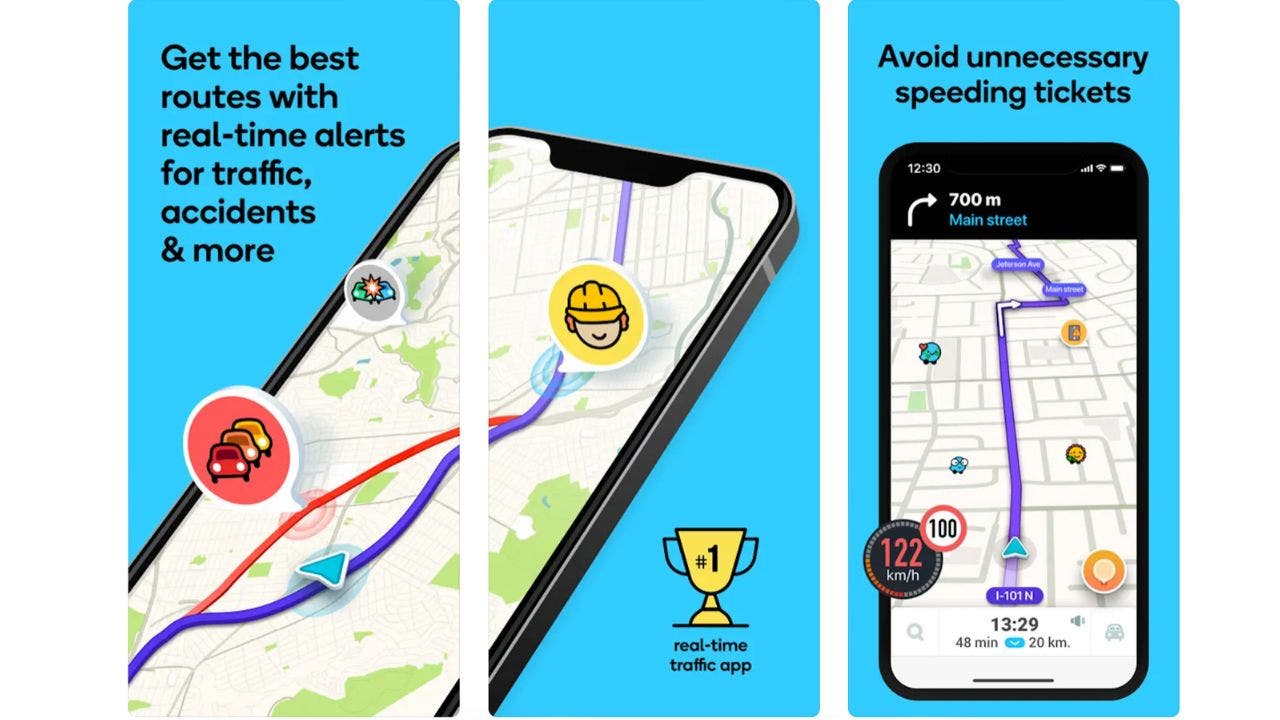
Be mindful of speed limits and speed cameras while driving to avoid danger and costly consequences.
Fortunately, there are some fantastic apps available that can assist you in accomplishing that task.
These apps will alert you of speed cameras and assist you in avoiding speeding fines.
These five apps will make your driving more responsible and secure, regardless of your travel distance. Try them out now.
1. ByeByeTicket app
iPhone: 5.0 stars (at time of publishing)

The ByeByeTicket app is an excellent choice if you want to avoid speeding tickets. It provides real-time information about your speed and the speed limit on the road, and sends you a notification on your Apple Watch when you exceed the limit with a vibration and a message.
The ByeByeTicket App on your Apple Watch allows you to keep the app running in the background and receive speed alerts without having to check your iPhone screen or keep the app active.
The app is more than just a speedometer, with features such as a fine refund guarantee, a speed challenge, and a speed history feature, making it worth the $9.99 monthly subscription fee.
2. Waze
iPhone: 4.8 stars (at time of publishing)
Android: 4.4 stars (at time of publishing)

Waze is not only a widely used navigation app but also informs users of speed cameras, police, traffic, and road hazards. Additionally, users can report and verify these alerts to aid other drivers.
The Waze app displays the speed limit of the road you're on and your current speed. You can personalize the app to alert you when you exceed the speed limit by a specific percentage or value. Waze is available for free and is compatible with both iOS and Android devices.
3. Speed Cameras radar
iPhone: 4.6 stars (at time of publishing)
Android: 4.4 stars (at time of publishing)

The Speed Cameras radar app is a useful tool that helps you avoid speeding tickets and drive safely. It detects speed cameras, red light cameras, mobile speed traps, and traffic jams in your area, alerting you to potential hazards. Additionally, you can report new cameras and hazards to help other drivers. The app costs $4.99 per month and can be downloaded from the app store or Google Play. Enjoy a free trial for 7 days when you sign up (at time of publication).
4. Coyote
iPhone: 4.6 stars (at time of publishing)
Android: 3.7 stars (at time of publishing)

The app Coyote assists drivers in driving more intelligently and securely by notifying them of speed cameras, police, traffic, and road hazards. It employs a community-based strategy, allowing users to report and verify these alerts to aid other drivers.
The app displays the speed limit of the road you're on, your current speed, and alerts you when you exceed the limit. To utilize the app, a monthly or yearly subscription fee is required. Plans begin at $4.99 per month (as of publication).
5. Radarbot
iPhone: 4.6 stars (at time of publishing)
Android: 4.1 stars (at time of publishing)

The Radarbot app is a useful tool for drivers who want to avoid speeding tickets and drive safely. It detects fixed and mobile speed cameras, traffic light cameras, and average speed checkpoints, and alerts you of their presence. Additionally, it displays the current speed limit and warns you if you are exceeding it. Radarbot operates in the background, allowing you to use it with your preferred navigation app.
The free version of Radarbot has ads and limited features, while the premium version offers real-time traffic alerts, voice notifications, and advanced settings for $4.99 per month.
Kurt's key takeaways
Are you prepared to travel with these potent apps? These apps can assist you in evading speeding tickets or receiving notifications about speed cameras and law enforcement. ByeByeTicket can help you avoid fines, Waze can assist you navigate through traffic, Speed Cameras radar can alert you to road cameras, Coyote can connect you with other drivers, and Radarbot can detect known radar traps. Regardless of your driving style, there is an app that can benefit you.
What are your thoughts on apps that assist with driving? Do they promote safer driving or just help drivers avoid legal consequences? Please share your opinions by contacting Cyberguy.com/Contact.
To receive my tech tips and security alerts, subscribe to my free CyberGuy Report Newsletter at Cyberguy.com/Newsletter.
Answers to the most asked CyberGuy questions:
Ideas for using those Holiday Gift cards
Copyright 2024 CyberGuy.com. All rights reserved.
Tech













15 things to do or try first when you get a new iPhone: 1. Set up your phone with your personal information and preferences. 2. Install your favorite apps and games. 3. Connect your phone to your Wi-Fi network and other devices. 4. Take a few photos and test out the camera. 5. Set up your email and other accounts. 6. Enable security features like Touch ID or Face ID. 7. Customize your phone's settings and appearance. 8. Explore the built-in features and apps on your phone. 9. Connect with friends and family on social media. 10. Set up reminders and alarms. 11. Use the phone's built-in voice assistant. 12. Download and install new apps from the App Store. 13. Set up your phone's screen time and parental controls. 14. Enable automatic updates for your apps and software. 15. Back up your important data to cloud storage or an external hard drive.
tech



You might also like
- Five top home inventory apps to safeguard your property during an emergency
- Your smart home gadgets will soon receive a new security seal of approval.
- This year, save time, privacy, and money with these 10 tech upgrades.
- Is your Windows 11 PC frequently restarting? Let's resolve this annoying issue.
- Sony's entry into the electric vehicle market is a surprising move.